How to Get Leads on Meta Business Suite Using Claude
Learn how to generate leads using Meta Business Suite with Claude AI. Explore the strategy, campaign setup, audience targeting, creative approach, and lead generation process used in this practical digital marketing project.
26 min read

How to Get Leads on Meta Business Suite Using Claude: A Complete Step-by-Step Guide
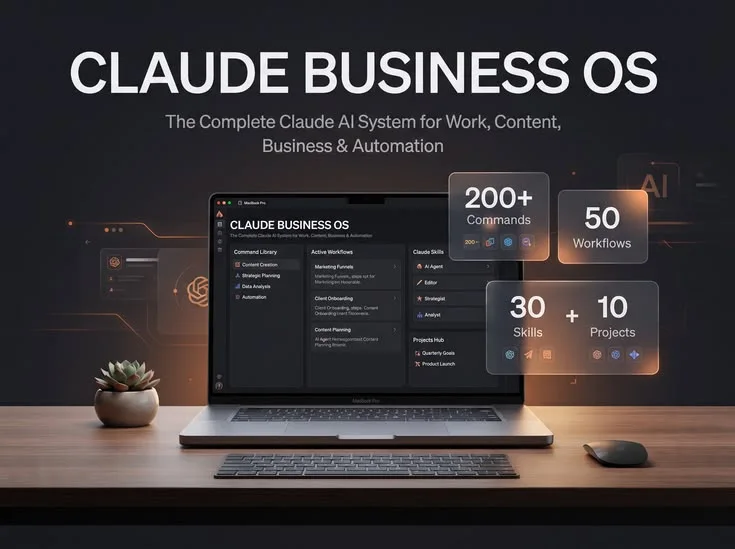
Most small businesses, training institutes and agencies already have a Facebook Page and an Instagram account. What they do not have is a repeatable system that turns those accounts into a steady flow of enquiries. Meta Business Suite gives you the tools to publish content, manage messages, run ads and read your results in one place. Claude gives you the thinking and writing power to use those tools faster and better. Together, they can become a complete lead generation engine.
This guide walks you through the whole process in detail: setting up your foundation, defining your audience and offer, writing lead ad copy, designing instant forms, structuring campaigns, planning organic content, automating replies, following up with leads and analysing results. Every step includes a ready-to-use Claude prompt that you can copy, adapt and run today.
Why combine Claude with Meta Business Suite?
Lead generation on Meta fails for three common reasons: weak messaging, slow response to enquiries and no testing discipline. Claude helps with all three. It can produce ten versions of an ad headline in seconds, draft reply scripts for every kind of question a prospect might ask, and turn a spreadsheet of campaign results into plain-language recommendations.
Meta Business Suite, on the other hand, is where the action happens. You schedule posts and stories through Planner, answer Facebook and Instagram messages and comments through Inbox, launch paid campaigns through Ads Manager and study performance through Insights. Claude does not replace any of these tools. It sits beside them as a strategist, copywriter and analyst.
What Claude can and cannot do here
It is important to be clear about this before you start. Claude works in a separate window from Meta, so the workflow is copy and paste: you give Claude context, it produces drafts, and you place the final text into Meta Business Suite. Claude cannot log into your Meta account, publish for you or see your live ad data unless you paste it in.
• Claude can: research your audience angles, write ad copy, design form questions, draft replies, build content calendars, suggest campaign structures, analyse pasted performance data and write follow-up messages. • Claude cannot: access your Meta account directly, guarantee results, or replace your judgement about budget, compliance and brand voice. • You must always: review every output, remove claims you cannot prove, and follow Meta advertising policies before publishing.
Privacy reminder: Never paste personal details of real leads (phone numbers, emails, full names) into any AI tool unless your privacy policy allows it. Use anonymised examples when asking Claude to analyse lead quality.
Step 1: Build a Strong Foundation in Meta Business Suite
Ads and content perform badly when the account behind them is weak. Before using Claude for anything else, check these basics inside Meta Business Suite. • Connect your Facebook Page and Instagram account so you can manage both from the same Inbox and Planner. • Complete your profile: clear logo, cover image, category, working hours, location, website link and a phone or WhatsApp button. • Add a clear call to action button on the Page, such as Send Message, Sign Up or Call Now. • Set up your Meta Pixel or Conversions API on your website if you plan to send traffic there, so that you can track leads properly. • Confirm your payment method and ad account access and set your Page roles so only the right people can publish.
Once the basics are ready, ask Claude to review your profile copy. Paste your Page bio, About section and pinned post, then use this prompt:
Claude prompt: You are a Meta marketing consultant. Here is my Facebook Page About section and Instagram bio: [paste]. My business is [describe]. Rewrite both so they explain who we help, what result they get and how to contact us. Keep the Instagram bio under 150 characters and add one clear call to action.
Step 2: Define Your Audience and Offer with Claude
The single biggest driver of lead quality is the match between your offer and your audience. Many advertisers skip this step and jump directly to creating ads. Slow down here, because everything else depends on it.
Create audience personas
Give Claude everything you know: your product or service, price range, location, typical customers and the questions they ask before buying. Ask it to create three to five personas with their goals, fears, objections and the words they use.
Claude prompt: Act as a market researcher. My business is [describe] in [city]. My customers are [describe]. Create 4 detailed audience personas. For each, include age range, goals, main fears, top 3 objections to buying, what they scroll on Instagram and Facebook, and the exact phrases they might use when they message a business.
Craft an irresistible lead offer
People do not fill in forms because you asked them to. They do it because you offered something valuable in return. This is called a lead magnet or lead offer. Good examples include a free demo class, a free audit, a downloadable checklist, a price guide, a free consultation or a limited seat workshop.
Claude prompt: Suggest 10 lead offers for [audience] who want [result]. For each, give a name, the format, why it would convince someone to share their phone number, and how quickly I could deliver it. Rank the top three by likely conversion.
Choose one offer per campaign. A focused offer always beats a vague one such as "contact us for more details".
Step 3: Write Lead Ad Copy That Converts
A Meta lead ad has four parts that Claude can help with: the primary text (the message above the image), the headline, the description and the call to action button. Each one has a job. The primary text earns attention, the headline states the benefit, and the button removes friction.
The copy formula to give Claude
- Hook: the first line, aimed at a pain or desire.
- Problem or desire: show that you understand the situation.
- Solution: introduce your offer in one sentence.
- Proof: results, numbers, testimonials or credibility markers.
- Call to action: exactly what to do next, and what happens after.
Claude prompt: Write 6 versions of Meta lead ad primary text for [offer] targeting [persona]. Use the hook, problem, solution, proof and call to action structure. Keep each under 90 words, use simple language, avoid exaggerated claims, and make 3 versions emotional and 3 versions logical. Also write 5 headlines under 40 characters each.
Always check that your copy follows Meta policies. Avoid unrealistic guarantees, personal attribute claims such as "Are you struggling with debt?" and misleading before and after promises. Ask Claude to review its own output: "Review the copy above against common Meta advertising policy risks and flag anything I should change."
Step 4: Design an Instant Form That Gets Completed
Instant forms let people submit their details without leaving Facebook or Instagram, which usually improves completion rates. However, more fields mean fewer submissions, and fewer fields mean lower lead quality. Your goal is balance.
• Use Higher intent form type if quality matters more than quantity. It adds a review step before submission. • Ask only what you need: name, phone or email, and one qualifying question. • Add a qualifying question such as budget range, preferred start date, course interest or city. It filters out casual clicks.
• Write a strong greeting that repeats the offer and sets expectations. • Create a thank you screen with a next step: a WhatsApp link, a call button or a booking page. • Add your privacy policy link, which Meta requires.
Claude prompt: Design a Meta instant form for [offer]. Suggest a form name, greeting text (max 60 words), 3 to 4 questions including one qualifying multiple-choice question with answer options, and a thank you screen message with a clear next step. The goal is to keep completion rate high while filtering unserious leads.
Step 5: Structure Your Campaign in Ads Manager
Launch your ad through Meta Business Suite or Ads Manager and choose the Leads objective. Claude can help you plan the structure before you spend money.
For audiences, test three types: broad targeting with your location and age, interest-based targeting built from your personas, and custom audiences such as website visitors, people who engaged with your Page or a lookalike of your existing customers. Ask Claude to convert your personas into targeting suggestions.
Claude prompt: Based on these personas [paste], suggest Meta ad targeting: location settings, age range, 10 interest keywords per persona, and 3 custom or lookalike audience ideas. Then propose a 2-week testing plan with a budget split across three ad sets.
Step 6: Use Planner for Organic Lead Generation
Paid ads are only half of the picture. Organic content builds trust, and trust converts. Meta Business Suite Planner lets you schedule posts, reels and stories in advance for both Facebook and Instagram.
Use Claude to build a monthly content calendar that mixes four types of posts: educational (teach something useful), proof (testimonials and results), engagement (polls, questions, quizzes) and offer (direct calls to action). A good ratio is about 40 percent educational, 25 percent proof, 20 percent engagement and 15 percent offer.
Claude prompt: Create a 30-day Instagram and Facebook content calendar for [business]. Use the ratio 40% educational, 25% proof, 20% engagement, 15% offer. For each day give the format (reel, carousel, image, story), topic, hook line, caption draft under 120 words, hashtags and call to action. Every fifth post should push the [lead offer].
Once approved, paste each caption into Planner, attach visuals, choose the posting time and schedule. Review the best time suggestions inside Insights and adjust after two weeks.
Step 7: Automate Replies in Inbox
Speed is a huge advantage in lead generation. A person who messages several businesses will often go with the first one to reply properly. Inbox in Meta Business Suite lets you set up instant replies, away messages and frequently asked questions, so people receive an immediate answer even when you are offline.
Ask Claude to prepare your full reply library
• A welcome message that appears when someone first messages you. • Answers to your ten most common questions about price, timing, location, eligibility and process. • A qualifying script that asks two or three questions before handing over to a human. • A comment-to-message reply, such as "Thanks for asking! I have sent you the details in your inbox." • An away message with your working hours and expected reply time.
Claude prompt: Write a reply library for my Meta Inbox. Business: [describe]. Include a welcome message, replies to these 10 questions [list], a 3-question qualifying flow, an away message and a polite message for people who go silent after 24 hours. Tone: friendly, professional, under 50 words each. Never promise things I have not listed.
Save your best replies as templates and personalise the first line for each person. Automation should feel helpful, not robotic.
Step 8: Follow Up with Every Lead

Getting a lead is not the same as winning a customer. Most conversions happen after the second or third contact. Download your leads from the Leads Center or connect a CRM, then follow up within the first hour if possible.
Create a simple sequence with Claude that covers the first seven days
- Minute 0 to 60: thank them and deliver the promised offer.
- Day 1: ask one question about their goal.
- Day 3: share a proof point or short testimonial.
- Day 5: answer the biggest objection, usually price or time.
- Day 7: give a clear final invitation with a deadline or limited seats.
Claude prompt: Write a 7-day follow-up sequence for leads who requested [offer]. Provide a WhatsApp version (under 60 words) and an email version (under 120 words) for each step. Use a warm tone, include one clear call to action per message, and avoid pressure tactics.
Remember to respect consent. Only contact people through channels they agreed to, and give them an easy way to opt out.
Step 9: Analyse Results in Insights and Ads Manager
Data without interpretation does not improve your campaigns. Export your results from Ads Manager as a table, remove personal information, and paste the numbers into Claude.
• Cost per lead (CPL): how much you pay for each form submission. • Click-through rate (CTR): how compelling your creative is. • Cost per thousand impressions (CPM): how expensive your audience is. • Lead quality rate: the percentage of leads that answer calls or book. • Cost per customer: the number that really matters, because it includes sales.
Claude prompt: Here are my Meta campaign results for the last 14 days: [paste table with ad name, spend, impressions, clicks, leads, CPL]. Analyse which ads and audiences are winning, which should be paused, what the likely reasons are, and give me five specific tests to run next week. Explain in simple language.
Step 10: Build a Weekly Testing Routine
The accounts that grow fastest are the ones that test consistently. Change one variable at a time so that you know what caused the difference.
Feed the winning results back to Claude each week and ask for new variations built on what worked. This creates a compounding loop where every cycle improves your messaging.
Common Mistakes to Avoid
• Publishing AI-written copy without editing it for your real voice and facts. • Using a vague offer, such as "free consultation", with no detail on what it includes. • Making the form too long or too short. • Replying to leads hours or days later. • Judging campaigns after only one or two days, before Meta has finished its learning phase. • Ignoring Meta policies on sensitive topics, guarantees and personal attributes. • Not tracking which leads become paying customers.
Content Checklist: What This Blog Must Include
If you publish this guide on your website, make sure the final post contains the following elements so it is complete, trustworthy and search friendly:
• A clear H1 title with the primary keyword and one H2 per step. • A short introduction that states the problem and the promise in the first 100 words. • A table of contents with jump links. • The prompts from each step, formatted so readers can copy them. • Original screenshots from Meta Business Suite (Inbox, Planner, Ads Manager) with descriptive alt text. • A lead form example and a campaign structure diagram. • Real or sample results with numbers, clearly labelled. • A short author bio showing your experience in digital marketing. • An FAQ section using question-style headings. • Internal links to your related posts on Meta Ads, SEO and content marketing. • A closing call to action: free audit, demo class, newsletter or contact form.
Frequently Asked Questions
Can Claude run my Meta ads for me?
No. Claude does not connect to your Meta account. It helps you plan, write and analyse, while you or your team set up and publish inside Meta Business Suite and Ads Manager.
How much budget do I need to start getting leads?
It depends on your industry and location. Many local businesses begin with a modest daily budget for one ad set, learn what works and scale gradually. Ask Claude to build a testing budget based on your target cost per lead.
Should I use instant forms or send people to my website?
Instant forms are usually faster and easier, especially on mobile. Websites work better when you need to educate people first or track detailed behaviour. Test both if you can.
Is AI-written content allowed on Meta?
Yes, as long as your ads follow Meta advertising standards and do not mislead people. You remain responsible for everything you publish.
How often should I create new ads?
Watch for creative fatigue. When frequency rises and click-through rate falls, refresh your hooks and visuals. Many advertisers introduce new variations every two to four weeks.
Conclusion
Getting leads on Meta Business Suite is not about a secret trick. It is about a clear offer, sharp messaging, fast replies, consistent follow-up and disciplined testing. Claude speeds up every one of those tasks, so you can spend your time on strategy and relationships instead of staring at a blank page.
Start small this week: choose one offer, write six ad variations with Claude, build one instant form and set up your Inbox replies. Then measure, learn and improve. Within a month, you will have a documented system that you can repeat and scale.
Ready to put this into action? Add your own call to action here, such as booking a free strategy call or downloading your lead generation checklist.